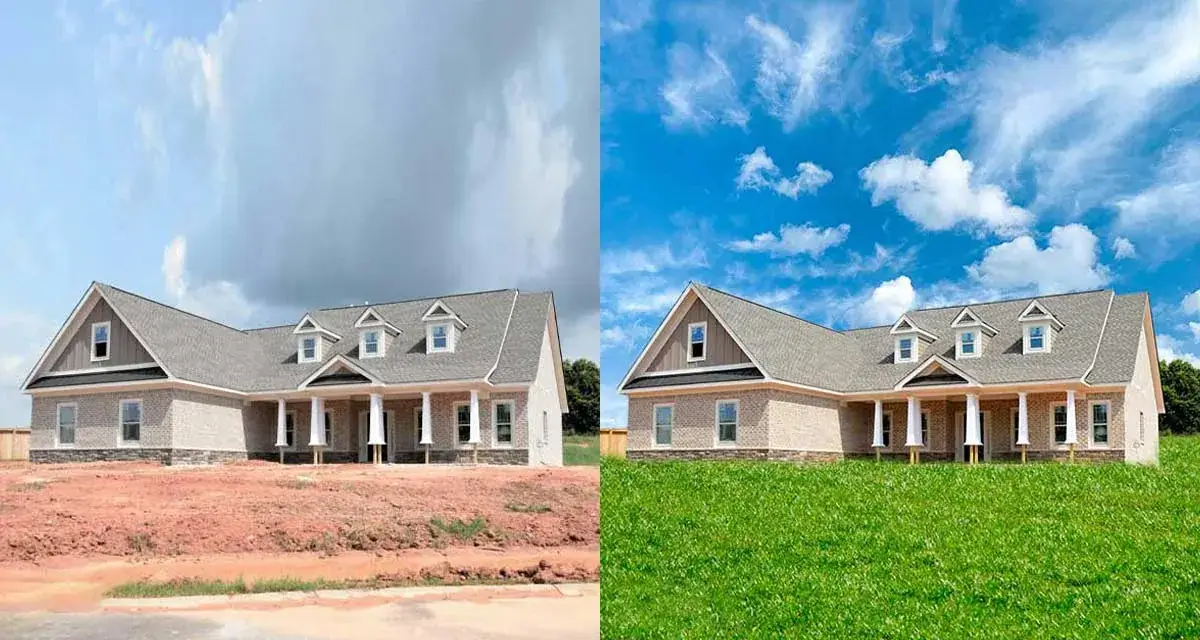
The Right Tools Make Properties Sell Faster
When a potential buyer sees your listing photo, you have about three seconds to capture their attention before they scroll past. In the high-stakes world of property sales, a flat, underexposed image with a dull gray sky is simply not an option. Your photo is the ultimate first showing.
The difference between a property that sits on the market for months and one that sells within weeks often comes down to photo quality. I'm not talking about hiring a professional photographer, though that helps. I'm talking about using the right photo editing software to make every listing shine.
Here's what most people don't realize: you don't need to spend hundreds of dollars monthly on editing software to create stunning real estate photos. Some of the most powerful tools are completely free, while others cost less than a single cup of coffee per day.
Understanding Real Estate Photo Editing Software
Real estate photo editing softwarefalls into three categories: professional-grade programs with advanced features, beginner-friendly options with intuitive interfaces, and specialized services that handle editing for you. Each serves different needs depending on your experience level, time availability, and specific editing requirements.
Photo editing software plays a crucial role in real estate marketing by enhancing property images and creating compelling visual narratives. The right software helps you correct lighting imbalances, straighten perspectives, remove unwanted objects, replace dull skies, and create images that make buyers want to schedule viewings.
Understanding which software fits your workflow matters more than choosing the most expensive option. A $50 monthly subscription won't help if you can't figure out how to use it, while free software with a steep learning curve might waste hours you could spend closing deals.
1. Adobe Lightroom - Industry Standard For Batch Editing
Adobe Lightroom remains one of the best photo editing software programs for real estate photography in 2025, thanks to its powerful tools and user-friendly interface. Lightroom excels at batch processing, letting you apply consistent edits across dozens or hundreds of photos simultaneously, critical when you're shooting multiple properties weekly.
The software's non-destructive editing means your original images stay untouched while you experiment with different looks. Lightroom offers comprehensive RAW file processing, non-destructive editing, batch editing and presets, and mobile app integration that lets you edit on the go.
- Pricing: $11.99/month for Lightroom or $54.99/month for the Photography Plan (includes Photoshop)
- Best For: Professional photographers handling high volumes of property listings
2. Adobe Photoshop - Advanced Manipulation Power
Photoshop gives you pixel-level control over images, making it essential for complex editing tasks that simpler software can't handle. This tool from Adobe comes with a lot of features, and it has a lot of step-by-step tutorials online.
With this software, the editorscan remove unwanted objects from the image, use the sky replacement technique, grass replacement, make various color corrections, fix merging errors, and more.
The learning curve is steep, but Photoshop's capabilities are unmatched for tasks like removing power lines, fixing severe distortion, creating composite images, or performing detailed retouching. Layer-based editing provides maximum flexibility for complex projects.
- Pricing: $54.99/month for Photography Plan (includes Lightroom) or $22.99/month for Photoshop only
- Best For: Advanced users needing detailed manipulation and compositing capabilities
3. Luminar Neo - AI-Powered Simplicity
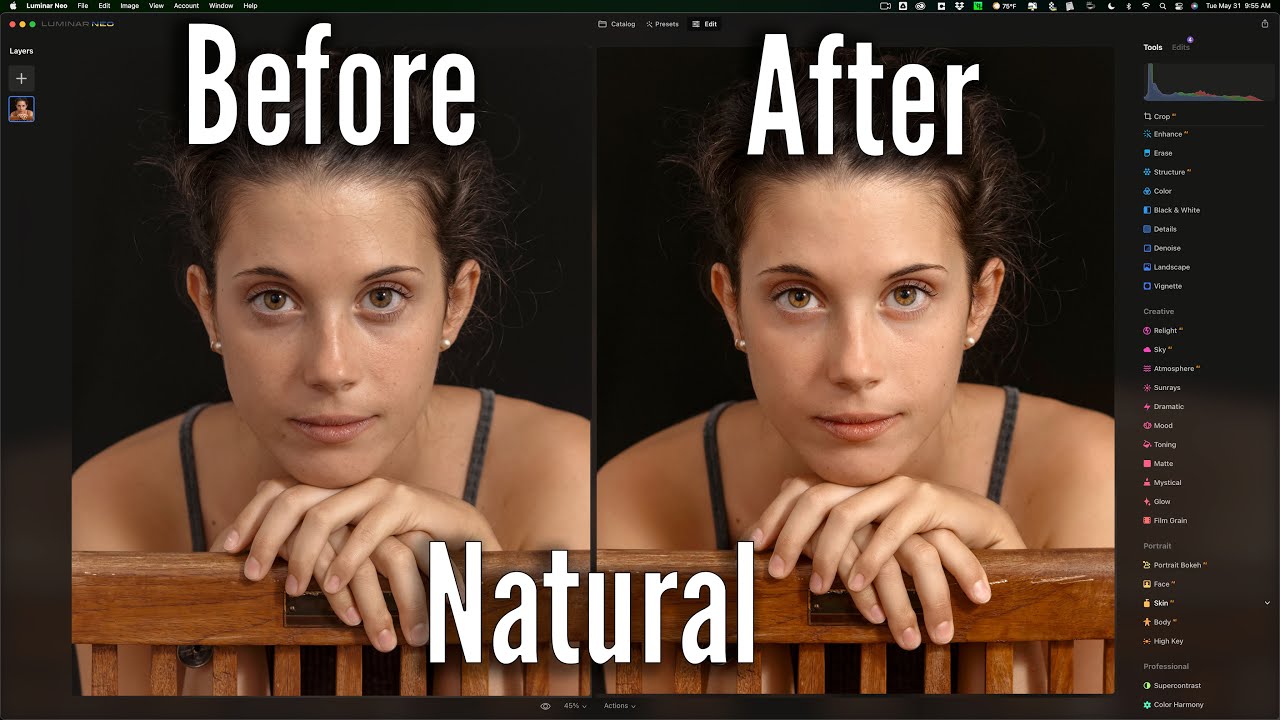
FULL Luminar Neo PORTRAIT Edit
Luminar Neo's AI-driven simplicity and one-time purchase options make it increasingly popular among real estate photographers. The software uses artificial intelligence to automate tedious tasks like sky replacement, portrait retouching, and lighting adjustments.
Luminar Neo's headline 'sky replacement' feature is an absolute godsend for real estate photographers. We all know that getting a good-looking sky, be it blue with clouds or purple at sunset, is the complete luck of the draw when photographing houses. With one click in Neo, you can add a realistic sky, with the AI relighting the scene to suit the new lighting conditions.
- Pricing: One-time purchase starting at $79 or subscription at $9.95/month
- Best For: Photographers wanting powerful features without subscription commitments
4. ON1 Photo RAW - All-in-One Solution
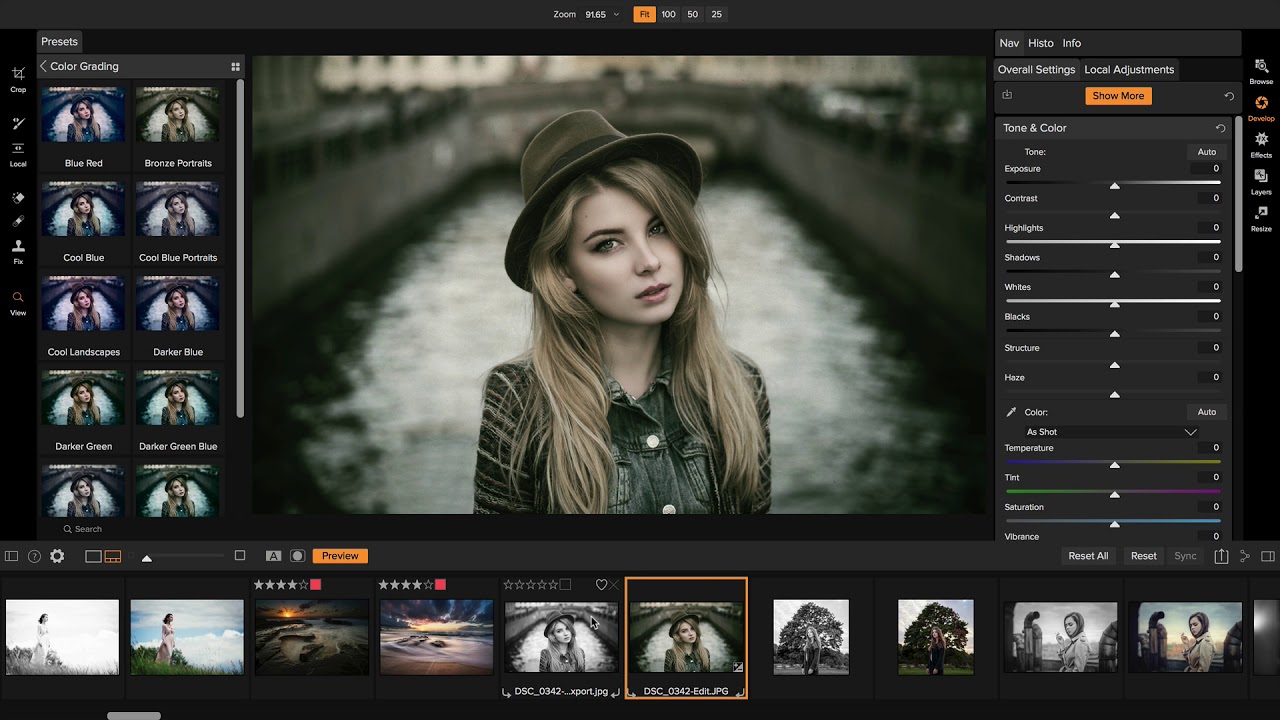
ON1 Photo RAW 2025 is a great all-in-one real estate photo editing software. It's a one-time purchase, starting at $99.99, and includes powerful tools like Sky Swap AI and Brilliance AI for enhancing lighting. The software combines cataloging, RAW processing, and advanced editing in a single program.
ON1 Photo RAW 2026 is your partner in creating visuals that sell. Every property has a story to tell, and the right visuals can make that story unforgettable. The software includes HDR blending, batch processing, perspective correction, and custom presets for consistent branding.
- Pricing: One-time purchase at $99.99
- Best For: Budget-conscious professionals seeking comprehensive features without subscriptions
5. Capture One - Professional RAW Processing
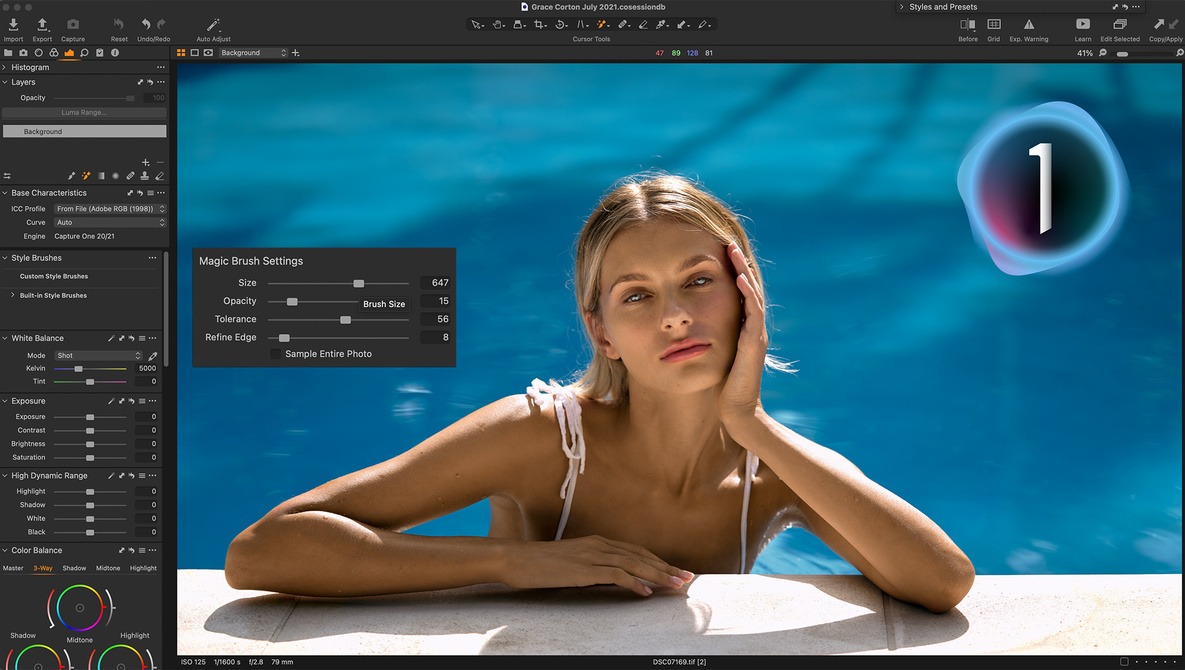
Capture One is a professional-grade real estate photo editing software that provides comprehensive editing tools for property images. For real estate photographers who need to edit photos instantly, Capture One's distinctive features, such as tethered shooting, make it the perfect solution.
The software delivers exceptional color accuracy and lens correction capabilities that serious professionals demand. Layer-based editing, precise color grading, and batch processing with custom presets streamline workflows for high-volume shoots.
- Pricing: Subscription at $14.99/month or perpetual license at $299.
- Best For: Professional photographers requiring top-tier color accuracy and tethered shooting
6. Photomatix Pro - HDR Specialist
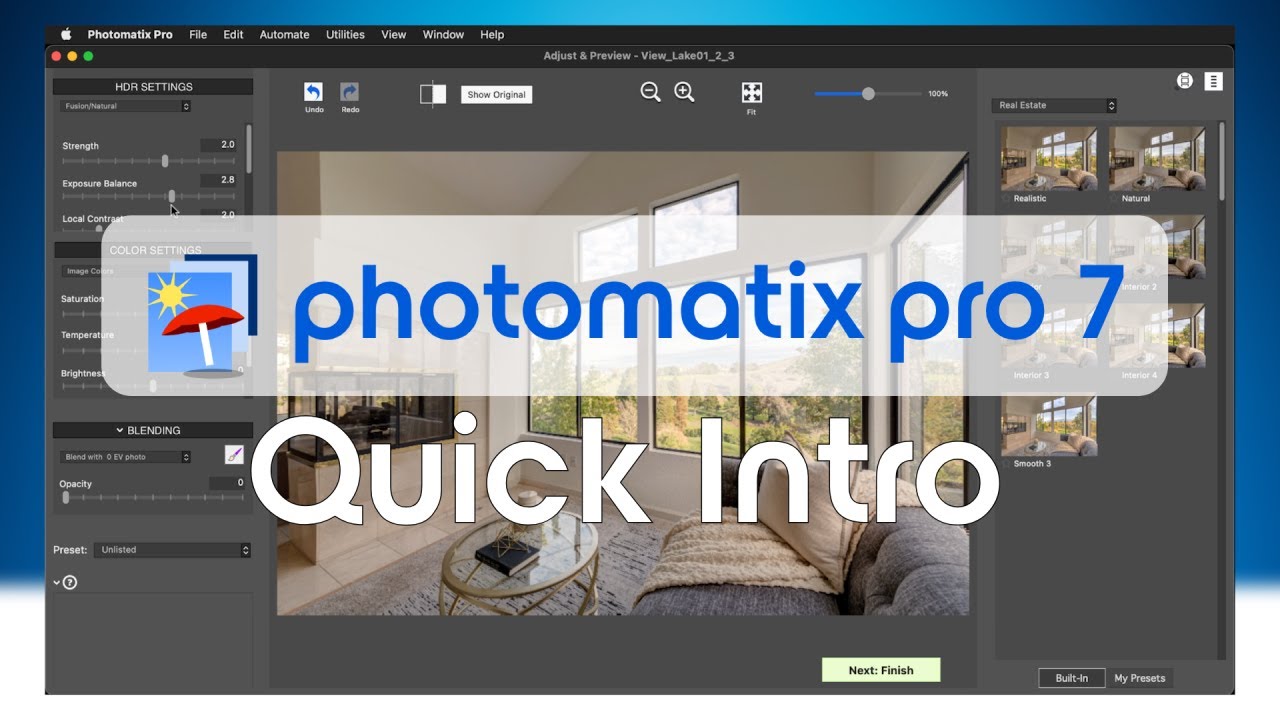
Photomatix Pro 7 Quick Intro
Photomatix Pro is a standalone program running on Windows & Mac. A license is a $99 one-time purchase. This specialized software focuses exclusively on High Dynamic Range photography, merging multiple exposures into single images that capture both bright windows and dark corners.
Our workflow, using Photomatix, allows us to process 100 photos in less than an hour with complete color and lighting accuracy. No need to pay foreign editors, you can do it all yourself with ease, saving you money and headaches. The software includes batch processing, presets for real estate photography, and export plugins for Lightroom and Capture One.
- Pricing: $99 one-time purchase.
- Best For: Photographers specializing in HDR real estate photography
7. Corel PaintShop Pro - Budget-Friendly Alternative
Corel PaintShop Pro is a favorite of both professionals and novices because its real estate photo editing tools and functions are easy to use. One of its capabilities is the ability to correct perspectives and change color gradients, color levels, white balance, and more.
The software provides automated real estate image enhancements and precise manual controls that help photographers refine photos efficiently. While not as feature-rich as Photoshop, PaintShop Pro's lower cost and solid performance make it appealing.
- Pricing: One-time purchase of around $79.99
- Best For: Beginners wanting professional features at budget prices
8. GIMP - Powerful Free Alternative
GIMP in Less Than 10 Minutes: Beginners Guide
GIMP (GNU Image Manipulation Program) stands as the most capable free alternative to Photoshop. GIMP is completely free and open source, meaning you can use GIMP and all of its features without spending a penny. The software runs on Windows, Mac, and Linux.
GIMP is a fantastic photo editing software that is similar to Adobe Photoshop. It offers advanced image manipulation tools like layers, masks, and filters. The main drawback? It can be difficult for beginners to learn how to navigate the software.
- Pricing: Free
- Best For: Budget-conscious users willing to invest time learning complex software
9. Darktable - Free RAW Processor
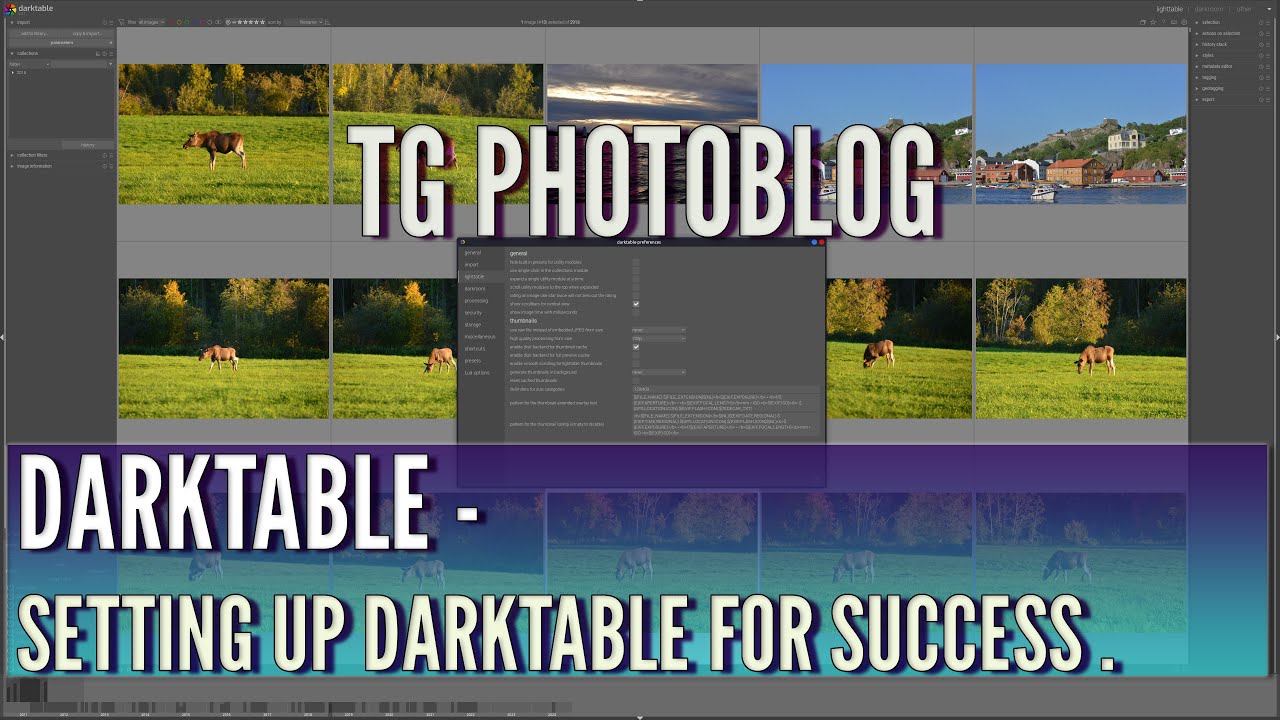
Darktable Tutorial - Setting Up darktable For Success
Darktable is ideal for handling RAW files and is built to process hundreds of images at once. Its interface is professional, but it may be intimidating to new users. This open-source software rivals Lightroom's RAW processing capabilities without costing a penny.
Darktable supports non-destructive editing, powerful color management, lens correction, perspective adjustments, and tethered shooting. Rather than being immediately applied to raster data of the image, the program keeps the original image data until final rendering at the exporting stage.
- Pricing: Free
- Best For: Photographers needing professional RAW processing without a budget for paid software
10. Photopea - Browser-Based Powerhouse
Photopea - Tutorial for Beginners in 13 MINUTES! [ COMPLETE ]
Photopea operates as a fully-featured web-based editor capable of handling PSD, XCF, SKETCH, PDF, and RAW file formats. It includes layer-based editing, color grading, text overlays, smart objects, clone/spot healing, and AI-powered background removal.
Photopea's interface mimics Adobe Photoshopclosely, offering users a familiar workspace with tools like the magic wand, lasso, gradients, and layer masks. No installation required, just open your browser and start editing.
- Pricing: Free with ads or $5/month for ad-free
- Best For: Quick edits on any device without software installation
11. Snapseed - Mobile Editing Champion
Snapseed Photo Editing App Tutorial
When it comes to real estate photography, Snapseed is hands down one of the best all-around photo editing apps out there. Not only is Snapseed super user-friendly, but it also boasts a fantastic array of powerful editing tools that can truly transform your photos, such as photo exposure, color, and sharpness adjustment tools.
This ability to isolate objects within the image and make changes within those bounds sets Snapseed apart from other free real estate photo editing apps. Developed by Google, it's available for both iOS and Android with no cost.
- Pricing: Free
- Best For: Quick mobile edits and on-the-go adjustments
12. Canva - Design-Focused Simplicity

Canva excels at creating marketing materials, social media graphics, and branded property presentations rather than detailed photo editing. Canva is seriously one of the best graphic design programs out there for beginners. It's got this super simple interface that lets you create high-quality designs in no time at all.
The drag-and-drop interface makes it easy to add text, graphics, and branding elements to listing photos. While lacking advanced retouching capabilities, Canva's templates speed up the creation of flyers, ads, and social media content.
- Pricing: Free basic version or $12.99/month for Pro
- Best For: Creating marketing materials and social media graphics
13. Pixlr - Accessible Online Editor

Pixlr is a cloud-based photo editor with both free and premium versions. Its ease of use and accessibility make it a great choice for quick edits without the need for software installation. The free version offers background removal, color correction, and contrast adjustments.
Pixlr makes it easy to virtually stage a property or remove any unwanted distractions in a photo. The AI-powered tools streamline common editing tasks like selecting and erasing objects to help improve efficiency.
- Pricing: Free or $4.90/month for premium
- Best For: Agents needing basic edits without software downloads
14. Fotor - Beginner-Friendly Features
Fotor is an excellent photo editing software for beginners. It helps to enhance picture resolution, zoom into photos up to 400%, and ease the process of sharpening with its AI-powered tools. The software includes HDR capabilitiesand tilt-shift effects, specifically useful for real estate.
Fotor offers a range of editing features such as color correction, retouching, and resizing. Fotor also includes advanced tools such as filters, frames, and text overlays. Available on Windows, Mac, and online.
- Pricing: Free basic version or paid premium features
- Best For: Beginners wanting a simple interface with HDR capabilities
15. RawTherapee - Advanced Free RAW Editor
RawTherapee is another free and open-source real estate photo editing software that specializes in RAW photo editing. Although it can require more time to get used to than some of the other solutions on this list, it includes sophisticated editing features that are ideal for real estate photographers.
If you live for micro-contrast, demosaicing choices, and color science, RawTherapee delivers surgical control. It's slower to learn than darktable, but the output can be spectacular, especially for landscapes, macro, and available-light work where fine texture matters.
- Pricing: Free
- Best For: Advanced users wanting maximum control over RAW processing
Key Features To Look For In Real Estate Photo Editing Software
When evaluating editing tools, focus on features that address common real estate challenges:
- HDR and Exposure Blending:Balances window light and dark interiors.
- Perspective Correction:Fixes skewed walls or leaning structures.
- Batch Processing:Saves time editing dozens of images per property.
- Color & White Balance Tools:Ensures rooms don’t look too warm or cold.
- Retouching & Object Removal:Eliminates distractions like cords or blemishes.
- Ease of Use & Presets:One-click enhancements for fast, professional results.
Free Vs. Paid Software: What's Worth Your Money?
The free versus paid debate depends entirely on your situation. If you want to edit just a few listing photos and don't need advanced photo editing capabilities, most of the above free programs will work fine. Agents shooting 2-3 properties monthly can achieve professional results with GIMP, Darktable, or Photopea.
Professional photographers shooting daily need paid software. The time saved through better workflow, faster processing, and superior tools justifies subscription costs when you're processing thousands of images annually. Lightroom's batch editing to Luminar Neo's AI simplicity, our expert picks cater to every skill level and budget.
Consider hybrid approaches. Use free software for basic edits on lower-priority listings while reserving paid software for luxury propertiesand high-stakes presentations. Many professionals use Lightroom for batch processing and RAW development, then jump into Photoshop only for complex manipulations.
The biggest mistake? When you buy expensive software, you never learn to use it properly. A $10 monthly Lightroom subscription becomes expensive when you're only using 10% of its capabilities. Better to master free software than waste money on premium tools you don't understand.
Choosing Software By Skill Level
- Complete Beginners:should start with Canva, Fotor, or Snapseed. These require a minimal learning curve while still producing notable improvements. Canva is user-friendly and free to use, but it may lack advanced editing capabilities. Start here, learn basic concepts, then graduate to more powerful tools.
- Intermediate Users:benefit most from Lightroom, Luminar Neo, or ON1 Photo RAW. Intermediate photographers will benefit from Lightroom's balance of power and ease of use. These programs offer professional results without overwhelming complexity.
- Advanced Photographers:need the full Adobe suite (Lightroom + Photoshop) or Capture One. Advanced users gravitate toward Photoshop or Capture One for detailed control. These tools provide pixel-level precision for demanding projects.
- Budget-Conscious Professionals:should explore GIMP, Darktable, and RawTherapee. Yes, the learning curve is steeper, but the capabilities rival paid software. A complete, professional photo editing workflow with nothing but free and open-source software is entirely possible.
Common Real Estate Photo Editing Techniques
1. HDR Blending (High Dynamic Range)
HDR blending merges multiple bracketed exposures (underexposed, properly exposed, and overexposed images) into one balanced photograph. This technique ensures both bright windows and dark interior corners are properly exposed, capturing rich detail throughout the image.
2. Perspective Correction
Also called vertical line straightening, this technique corrects distorted lines caused by wide-angle lenses. It ensures walls, doorframes, and windows appear straight and parallel, preventing the property from looking warped or unprofessional.
3. Sky Replacement
Sky replacement swaps dull, gray, or overcast skies with vibrant blue skies or dramatic sunset scenes. This creates an inviting, warm atmosphere for exterior shots and significantly boosts curb appeal.
4. Day-to-Dusk Conversion
This technique transforms daytime exterior photos into stunning twilight images with glowing interior lights and evening skies. Listings featuring twilight photos as the main image average 76% more views than those without.
5. Color And Brightness Correction
Adjusting white balance, saturation, vibrance, and exposure ensures colors look natural and true-to-life. This makes interiors appear cleaner, brighter, and more welcoming to potential buyers.
6. Window Masking
Window masking addresses excessive glare and blown-out windows by replacing overexposed window views with properly exposed exterior scenes. This balances interior and exterior lighting for a more realistic appearance.
7. Object Removal
Using tools like the Clone Stamp or Healing Brush in Photoshop, unwanted objects, power cords, clutter, cars in driveways, or personal items are digitally removed. This presents a cleaner, distraction-free view of the property.
8. Shadow And Highlight Balancing
This technique reduces harsh shadows from flash photography or uneven lighting while recovering details in highlights. It creates balanced exposure throughout the image without making it look flat.
9. Lens Distortion Correction
Corrects barrel distortion and chromatic aberration caused by wide-angle lenses, ensuring rooms appear proportional and accurate. This prevents the "fisheye" effect common in real estate photography.
Frequently Asked Questions
Do I Really Need Paid Software To Edit Real Estate Photos Professionally?
No, you don't necessarily need paid software for professional results. Programs like GIMP, Darktable, and Photopea offer powerful capabilities at no cost. However, paid software typically provides faster workflows, better customer support, and time-saving features that justify costs for professionals editing hundreds of photos monthly. The question isn't whether free software works; it does, but whether the time saved with paid tools exceeds their cost based on your volume.
What Are The Minimum Computer Requirements For Real Estate Photo Editing?
Most modern photo editing software requires at least 8GB RAM, though 16GB provides noticeably smoother performance when working with RAW files and HDR processing. A dedicated graphics card accelerates many operations, but it isn't strictly necessary. Storage matters more than you'd think. RAW files consume significant space, so budget for external hard drives or cloud storage. Any computer purchased within the last 3-4 years should handle editing adequately, though rendering times vary.
Can I Edit Real Estate Photos On My Phone Instead Of Buying Desktop Software?
Mobile apps like Snapseed, Lightroom Mobile, and Photoshop Express handle basic editing admirably, making them viable for occasional listings or social media content. However, serious real estate photography demands desktop software for several reasons: larger screens reveal details invisible on phones, processing power handles batch editing faster, and precision tools work better with mouse control than touchscreens. Use mobile for quick adjustments; rely on desktop for primary editing.
How Long Does It Take To Learn Real Estate Photo Editing Software?
The timeline depends on which software and your existing computer literacy. Beginner-friendly programs like Canva or Lightroom basics take a few hours to grasp essentials. Intermediate proficiency with Lightroom or Luminar Neo requires 20-40 hours of practice. Mastering advanced software like Photoshop or GIMP demands 100+ hours. Don't let this discourage you; you'll achieve usable results much sooner than mastery. Focus on learning one technique at a time rather than every feature simultaneously.
Is HDR Really Necessary For Real Estate Photography?
HDR photography isn't technically necessary, but it dramatically improves results when shooting interiors with windows. Single exposures force you to choose between properly exposed rooms with blown-out windows or visible window views with dark interiors. HDR merging solves this by combining multiple exposures to show detail everywhere. While skilled photographers can minimize the need through advanced flash techniques, HDR provides better results with less equipment and expertise required.
Should I Shoot In RAW Or JPEG For Real Estate Photography?
Always shoot RAW when possible. RAW files contain significantly more image data than JPEGs, providing greater flexibility during editing. You can recover blown highlights and crushed shadows that are permanently lost in JPEG compression. The file size tradeoff is worth it; storage is cheap compared to the cost of reshooting properties because JPEG files can't be salvaged during editing. Many cameras can shoot RAW+JPEG simultaneously if you want immediate sharing options.
What's The Difference Between Photo Editing Software And Photo Editing Services?
Photo editing software provides tools for you to edit images yourself, programs like Lightroom, Photoshop, or GIMP that you purchase or subscribe to, and operate personally. Photo editing services are companies that edit images for you. You upload photos, specify desired adjustments, and receive edited versions back. Software requires your time and skill but offers complete control. Services cost per image, but sayouour time for other tasks. Many professionals use both strategically.
Can I Use The Same Software For Real Estate And Other Photography Types?
Yes, general photo editing software works across photography genres. Lightroom, Photoshop, and their competitors handle portraits, landscapes, events, and real estate equally well. However, real estate photography benefits from specialized features like batch HDR processing, architectural perspective correction, and sky replacement that other genres use less frequently. If you're already comfortable with general photography software, you'll adapt easily to real estate applications with minor workflow adjustments.
Why Do Some Free Editing Programs Look Unprofessional Or Difficult To Use?
Many free programs like GIMP and Darktable prioritize functionality over interface polish because volunteer developers focus on features rather than design aesthetics. This creates capable software with steeper learning curves and less intuitive layouts than commercial alternatives. The power exists; accessing it just requires more patience initially. Browser-based tools like Photopea have addressed this by mimicking familiar Photoshop interfaces while remaining free.
How Do I Know If I Should Upgrade From Free To Paid Editing Software?
Consider upgrading when free software becomes the bottleneck limiting your productivity or quality. If you're spending hours accomplishing tasks that paid software handles in minutes, the time cost exceeds subscription fees. If you're losing clients because competitors produce better-looking listings faster, your software holds you back. However, if free tools meet your needs adequately and you're achieving desired results efficiently, don't upgrade just because paid options exist.
Final Thoughts
There’s no one-size-fits-all solution. What matters is choosing software that aligns with your goals, skill level, and workflow. From quick AI tools for agents to detailed suites for photographers, the options above can help you create polished, market-ready visuals.
Personally, I recommend trying a few trials to see what clicks with you. Even modest improvements in your photo quality can have an outsized impact on interest and sales. Your listing photos are your digital handshake. Make them count.
If you found this categorized breakdown helpful, share this article with your fellow real estate photographers and agents to help them master their post-production workflow!